
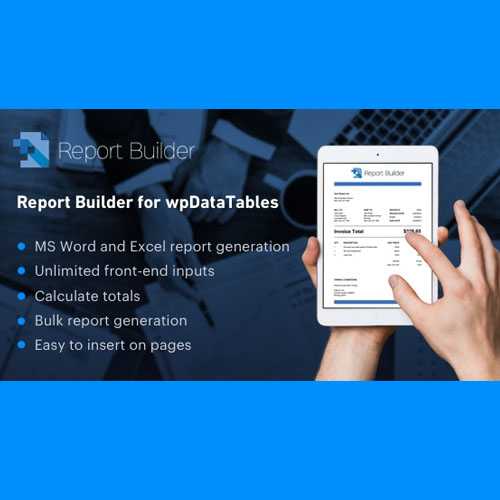

Report Builder – Generate Word DOCX and Excel XLSX documents

Report Builder is a plugin for WordPress that instantly creates documents and spreadsheets filling your templates with actual data.
$3.99
Report Builder is a plugin for WordPress that instantly creates documents and spreadsheets filling your templates with actual data.
How Can a Report Builder Plugin Unlock Your Business Data and Drive Growth in 2025?
In today’s digital economy, data is the new currency. The ability to collect, analyze, and act upon information is what separates market leaders from the rest. Yet, for many organizations, valuable data remains locked away in complex databases, form entries, and e-commerce systems, inaccessible to the decision-makers who need it most. You possess a wealth of information within your WordPress dashboard, but transforming that raw data into actionable insights often requires tedious manual spreadsheet entry or complex, custom-coded SQL queries. This process is not only time-consuming but also prone to error, creating a barrier between you and the data-driven clarity you seek.
Imagine a world where you could effortlessly generate beautiful, insightful reports directly from your WordPress site. A world where key performance indicators (KPIs) are tracked on a live dashboard, sales trends are visualized in dynamic charts, and detailed PDF summaries are automatically emailed to stakeholders every week. This is not a futuristic concept; it is the immediate reality offered by a modern report builder plugin. This article will serve as your definitive guide to understanding, selecting, and implementing a custom reporting solution that will fundamentally transform your relationship with data. We will explore how these powerful data visualization tools function as the central nervous system of a successful data analytics toolkit, empowering you to make smarter, faster, and more profitable decisions in 2025 and beyond.
Technical Specifications
To properly evaluate the capabilities of a premier report builder plugin, it is essential to understand its technical foundation. This table, with information updated for February 2025, outlines the core specifications that define a best-in-class solution, ensuring compatibility, performance, and robust functionality for your WordPress project.
| Attribute | Value / Description |
| Plugin Category | Business Intelligence & Data Analytics |
| Core Platform | WordPress 6.7.x and later |
| Key Functionality | Drag-and-Drop Report & Chart Builder |
| Primary Data Source | Native WordPress & External MySQL Databases |
| Key Integrations | WooCommerce, Gravity Forms, and other popular plugins |
| Query Engine | Visual Query Builder (no-code) & Advanced SQL Editor |
| Chart Libraries | Integrates modern libraries like Chart.js, Highcharts, or ApexCharts |
| Output Formats | Interactive Frontend Tables, Charts, PDF, CSV, Excel |
| Automation | Cron-based report scheduling and automated email delivery |
| Security | Role-based permissions, data sanitization, secure query execution |
| Underlying Language | PHP 8.1+ |
| Licensing Model | Freemium (Free & Premium Tiers) |
Product Description
At its core, a report builder plugin is a sophisticated piece of software that acts as a bridge between your complex database and your need for clear, understandable insights. It is a powerful data analysis and interpretation tool integrated directly into your WordPress environment, designed to democratize data access. Instead of relying on developers to write manual SQL queries or analysts to spend hours in spreadsheets, this plugin provides a user-friendly, visual interface to build and display custom reports. It transforms your standard WordPress dashboard into a dynamic business intelligence (BI) system. Consider the vast amount of information generated by your website daily. Sales data from WooCommerce, customer inquiries from Gravity Forms, user activity, and more—all of this is stored in your site’s MySQL database. A report builder plugin allows you to tap into this reservoir of data, query it intelligently, and present the findings as easily digestible tables, charts, and graphs.
The true value of such a plugin extends far beyond simple data presentation. It is a catalyst for strategic decision-making. For example, by creating a report that visualizes sales data by geographic region, a marketing manager can identify emerging markets and allocate advertising spend more effectively. By building a dashboard that tracks form submission trends, a support team can anticipate customer needs and allocate resources proactively. This is the essence of moving from a reactive to a proactive business model. The plugin achieves this through several key mechanisms. First, its connectivity allows it to hook into various data sources. Second, its visual query builder translates your human questions into machine-readable commands. Third, its data visualization engine transforms rows of numbers into compelling visual narratives, like a line graph showing sales growth or a pie chart breaking down product popularity. This entire process, from data connection to final report generation, is managed within a single, cohesive interface, making it an indispensable part of any modern CRM platform or ERP system workflow that relies on WordPress. This is a far more integrated and efficient approach than using a standalone BI platform like Tableau or Power BI, as it keeps your data and your analytics within the same ecosystem, ensuring real-time accuracy and ease of use.
Key Features
The distinction of a high-caliber report builder plugin is defined by a set of powerful and unique characteristics that work in concert to provide a seamless and potent user experience. These features address the core challenges of data reporting, from connectivity to automation.
-
Intuitive Drag-and-Drop Interface: The cornerstone of a modern report builder plugin is its usability. The best plugins feature a drag-and-drop interface that empowers users of any technical skill level to create sophisticated reports. You can visually select data columns, apply filters, sort results, and construct complex queries without writing a single line of code. This dramatically lowers the barrier to entry for business intelligence.
-
Versatile Data Source Connectivity: A great reporting tool is not limited to your WordPress database. It must offer flexible connectivity options. This includes the ability to connect to external MySQL databases, import data from CSV files or Google Sheets, and even pull information via API. This root attribute of connectivity ensures you can create a unified dashboard that consolidates data from multiple systems into a single view.
-
Rich Data Visualization & Charting Options: Raw numbers are hard to interpret. A premier report builder plugin provides a wide array of visualization options, including interactive bar charts, line graphs, pie charts, area charts, and customizable tables. These elements, often powered by robust libraries like Chart.js, allow you to tell a compelling story with your data, making it easier to spot trends, outliers, and patterns.
-
Powerful Automation and Scheduling: The ability to automate reporting is a game-changer. You can configure the plugin to generate specific reports on a recurring schedule—daily, weekly, or monthly. These reports can then be automatically exported to PDF or CSV and emailed to a list of stakeholders, ensuring everyone has the latest information without any manual intervention.
-
Granular User Role Permissions: In any organization, not everyone should have access to all data. A crucial feature is the ability to set permissions based on WordPress user roles. You can control exactly who can view, create, or edit specific reports, ensuring sensitive data remains secure while empowering team members with the insights they need for their roles.
-
Frontend Reporting and White-Labeling: Some of the most advanced plugins offer rare attributes like the ability to display reports on the frontend of your website for logged-in users or clients. Furthermore, white-labeling capability allows agencies to rebrand the plugin’s interface, providing a seamless, branded experience for their customers.
To truly appreciate the transformative power of these features, a hands-on experience is invaluable. YOUR-BRAND invites you to explore our curated test bank, a live sandbox environment where you can interact with a pre-configured report builder plugin. Discover for yourself how easy it is to turn raw data into brilliant insights.
Product Applications
The flexibility of a robust report builder plugin makes it applicable across a vast spectrum of industries and use cases, turning any WordPress site into a data hub.
-
E-commerce Analytics: For a WooCommerce store, create detailed sales reports, track top-selling products, monitor customer lifetime value, and build a dashboard for KPI tracking.
-
Marketing Campaign Analysis: Connect to your marketing platforms or use form data to build reports that track lead generation, conversion rates, and campaign ROI.
-
–Operations and Logistics: Monitor inventory levels, track order fulfillment times, and create reports on shipping efficiency.
-
Client Reporting for Agencies: Digital marketing agencies can use a report builder plugin with white-labeling to provide clients with beautiful, automated monthly reports on website traffic, SEO progress, and campaign performance.
-
Membership Site Management: Track member growth, analyze engagement levels, and create reports on subscription renewals and churn rates.
-
Educational and LMS Reporting: For sites using a Learning Management System, track student progress, course completion rates, and quiz results.
How to Download and Use
Implementing a report builder plugin and starting your data-driven journey is a clear, step-by-step process. Follow this guide to get started.
-
Select and Acquire the Plugin: Visit DOMAIN.COM to review our comparison of the best report builder plugins. Once you have made your selection, purchase and download the plugin’s .zip file.
-
Install the Plugin: Log in to your WordPress admin area. Navigate to Plugins > Add New > Upload Plugin. Choose the .zip file you downloaded and click Install Now. Once installed, click Activate.
-
Connect to a Data Source: After activation, a new menu item for the plugin will appear in your dashboard. The first step is typically to establish a connection to your data source. This will usually default to your local WordPress database, but you can add connections to external sources here.
-
Build Your First Query: Using the plugin’s visual query builder, select the table you want to get data from (e.g., WooCommerce orders). Choose the columns you want to display (e.g., order date, total amount, customer city).
-
Create a Chart or Table: Once your query is set, move to the visualization step. Choose the type of chart or table you want to create. Assign data columns to axes, choose colors, and configure labels.
-
Display the Report: The plugin will provide a shortcode for your new report. Copy this shortcode and paste it onto any WordPress page, post, or widget area where you want the report to appear. Your interactive report is now live.
Related Products

Yoast SEO Premium helps you write more naturally. One of the features is the possibility to optimize your posts for related keyphrases and synonyms.


Reviews
There are no reviews yet.